My new Year 6 class came up to me having used iPads and devices in class while in Year 5 though not to the extent that I had been using them with my previous class. I also found that not all of the class had devices unlike last year. Luckily our school does have a few spare iPads which I could use but I also paired children up to share devices where necessary.
From January 21016, each child in Y2-Y6 will need to come to school with an iPad. Whereas Y5 and 6 have been using the since February 2015, it is going to be a radical learning curve for a lot of our teachers/students/parents in a few weeks time. Therefore, this term, we have been undertaking a lot of training and experiments so that we are ready for January. Google EdTech team have been out for a training day as Google Drive forms the backbone of how we intend to use technology.
My classroom practice has developed this term as the initial euphoria about iPads and devices has worn off and I have noticed that these devices have become much more seen as an everyday tool by the children - sort of a very expensive pencil case.
I have become much more selective in how I use them. Google Drive I find is by far the best way to share work and messages with my class. I have a shared folder for my class which contains subject folders; activities fro each lesson and sometimes a tutorial or flipped video.

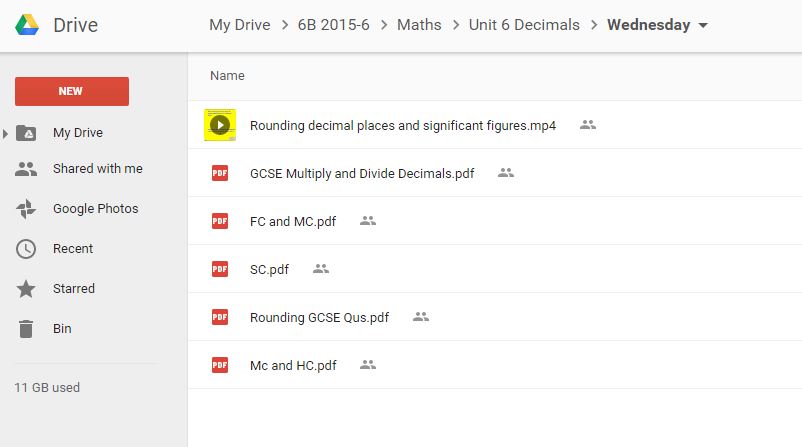
The use of Drive also changes how my class communicate with me. This may not to be every teachers liking but they use Gmail to message me in the evenings and at weekends if they are stuck about their work. I could choose not to reply but I think this accurately mirrors how work is changing in the real world around us so I am usually happy to reply if I have the time.
I have learnt that very quickly your Drive becomes full of work shared by the class so I have begun using Google Classroom (bundled with Drive) as a means of setting and monitoring tasks. I love this as it automatically creates a folder in my drive for each activity and saves their work with their name in it! It's also good for sending messages to my whole class.

I have been using apps much less. I now rely on just a few. i have found that many apps can be great for a one-off 'Wow' effect but they soon wear off and I found that I was teaching how to use the app rather than the curriculum content.
I use video a lot for my class to make videos of their work - recording their poetry and such. I also ask them to occasionally make a video explaining how they did some work in their boos and then QR code it which is then stuck into their book with their work. I never ask them to write using their devices - more trouble than it is worth!
I still make flipped videos although i now use them in my class rather than doing my usual spiel at the board or I use them as a resource for he children if they get stuck. As they are on drive, they have access to these all the time.
I have begun using Edpuzzle which allows you to add questions to your videos as well as to narrate over videos which you have found elsewhere such as YouTube. I really like this as it makes the watcher an active participant and you can also monitor their progress.

I am hoping to use Edpuzzle more next term for flipped videos and homework activities.
I do occasionally use other apps but only if I feel that they enhance learning. For example, we recently went on a trip around Bahrain to learn about the ancient Dilmun civilization which was here 3000 years ago and the children had to write a summary of their learning. I used Thinglink for this as it enabled the children to easily incorporate all the videos and photos they had made of the trip and to share them to the rest of the class and their family. Sometimes I feel technology can obscure the subject learning so I have to choose how to use apps and software carefully - high impact, low effort!

You can see this Thinglink at https://www.thinglink.com/scene/727463012406919168
Online assessment is still a key feature of my use of technology. I still use Kahoot - especially getting my class to design their own quizzes. This works really well with spelling lists as they have to come up with incorrect but plausible spellings! Increasingly we are using Socrative as it is better at keeping data and enables you to set a wider range of questions - we are presently transferring reading comprehensions on to Socrative for use next term.

Next term, my aim will be to develop flipped videos using Edpuzzle. Flipped teaching has taken a bit of a backseat recently but it is something I now want to return to as I feel that iPads are now firmly established in the day-to-day running of my class.


